Question
Im trying to recreate the busy tone on matlab, the tone will have 60 interruptions per minute (50% duty cycle) and I already have the dual tone frequency set. The issue is I have no idea how to make the audio pause 60 times per minute without a long code or looping. Is there a way to utilize the duty cycle to make this easier or shorter, or do I settle with a loop? Fs = 8000; %# Samples per second tone1 = 480; %# Tone 1 frequency, in Hertz tone2 = 620; %# Tone 2 frequency, in Hertz nSeconds = 2; %# Duration of the sound y = sin(linspace(0, nSeconds*tone1*2*pi, round(nSeconds*Fs)))... % Dual tone frequency + sin(linspace(0, nSeconds*tone2*2*pi, round(nSeconds*Fs))); %...
Expert Answer

John Michell
PhD Expert
Answered Oct 19, 2026
It seems that nSeconds should be 0.5s. Each pause should be also 0.5s. Thus it repeats 60 time in a min.
Fs = 8000;      %# Samples per second
tone1 = 480;    %# Tone 1 frequency, in Hertz
tone2 = 620;    %# Tone 2 frequency, in Hertz
nSeconds = 0.5;   %# Duration of the sound
ns = round(nSeconds*Fs);
t = (0:ns-1)'/Fs;

y = sin(2*pi*tone1*t)...    % Dual tone frequency
  + sin(2*pi*tone2*t);

y = [y; zeros(ns,1)];       % add pause

y = repmat(y, 60, 1);       % repeat 60 times

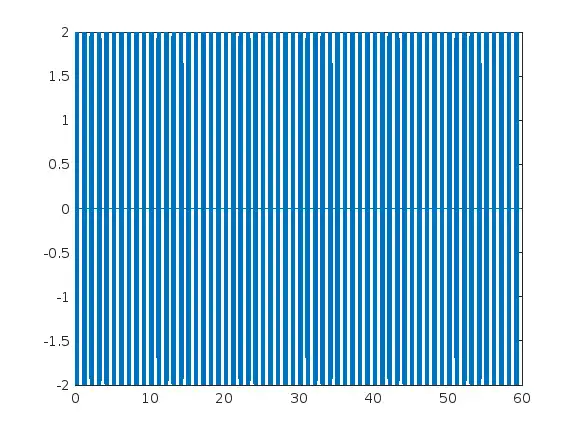
plot((0:length(y)-1)/Fs, y)
100% Run Guarantee
3-Hour Fast-Track Delivery
Need a Custom Version or Complete Simulation for This Problem?
Our 500+ PhD engineers build, debug, and optimize working MATLAB scripts and Simulink (.slx) models tailored to your exact assignment rubrics with zero plagiarism.
Tested on MATLAB R2024b / R2026a
Turnitin 0% Plagiarism Report
Free 7-Day Revisions Guarantee
Have a different question? Ask here
Related Signal Processing Questions & Solutions
Browse All →
Explore similar technical troubleshooting questions and verified MATLAB solutions:
Ready-to-Run MATLAB & Simulink Projects
Browse All Projects →