Question
Hello, I have an Edit Field box on the Design view and I opened a callback in the Code View. There is a default value in the Edit Field box that I would like to be used automatically when a user runs the app. I have this: % Value changed function: LengthEditField function LengthEditFieldValueChanged(app, event) app.L = app.LengthEditField.Value; if isempty(app.L) new_value = 3; % set default value to 3 end app.L=new_value; end But when I use this variable in an equation, it tells me that its "empty (0x0) double". How do I get it to display a value of 3 for example ?
Expert Answer

John Williams
PhD Expert
Answered Oct 15, 2026
The code you have shared is for capturing the value in the edit field, not setting it. Also, keep in mind that callback functions only execute when they are called (typically by the user interacting with the component).
Therefore, the best way to set a default value for a component is through its properties in the Component Browser.
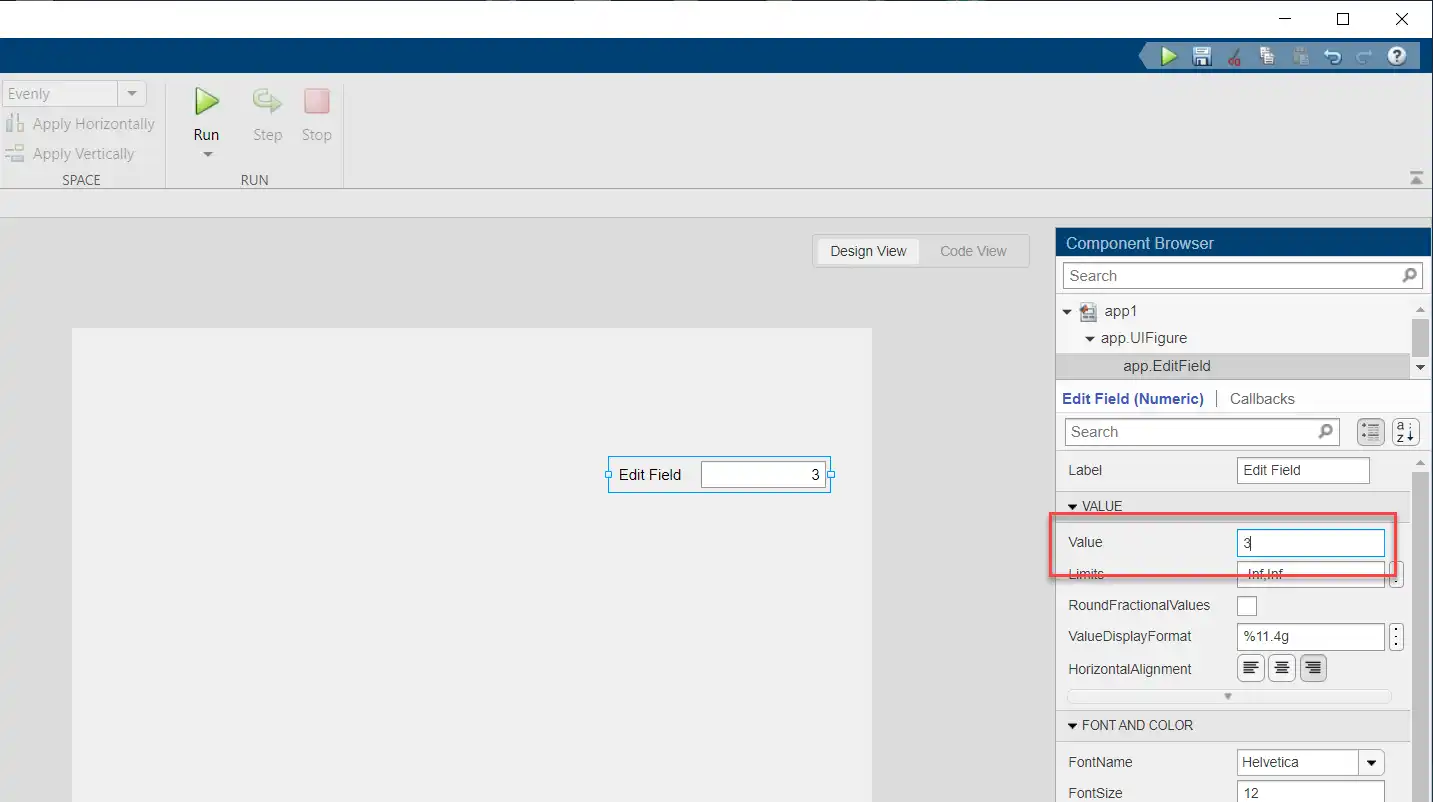
It is possible to set a value programmatically, but remember that the code will only be run when the callback function it has been added to is executed.
app.LengthEditField.Value = 3
100% Run Guarantee
3-Hour Fast-Track Delivery
Need a Custom Version or Complete Simulation for This Problem?
Our 500+ PhD engineers build, debug, and optimize working MATLAB scripts and Simulink (.slx) models tailored to your exact assignment rubrics with zero plagiarism.
Tested on MATLAB R2024b / R2026a
Turnitin 0% Plagiarism Report
Free 7-Day Revisions Guarantee
Have a different question? Ask here
Related matlab gui Questions & Solutions
Browse All →
Explore similar technical troubleshooting questions and verified MATLAB solutions:
Ready-to-Run MATLAB & Simulink Projects
Browse All Projects →