Question
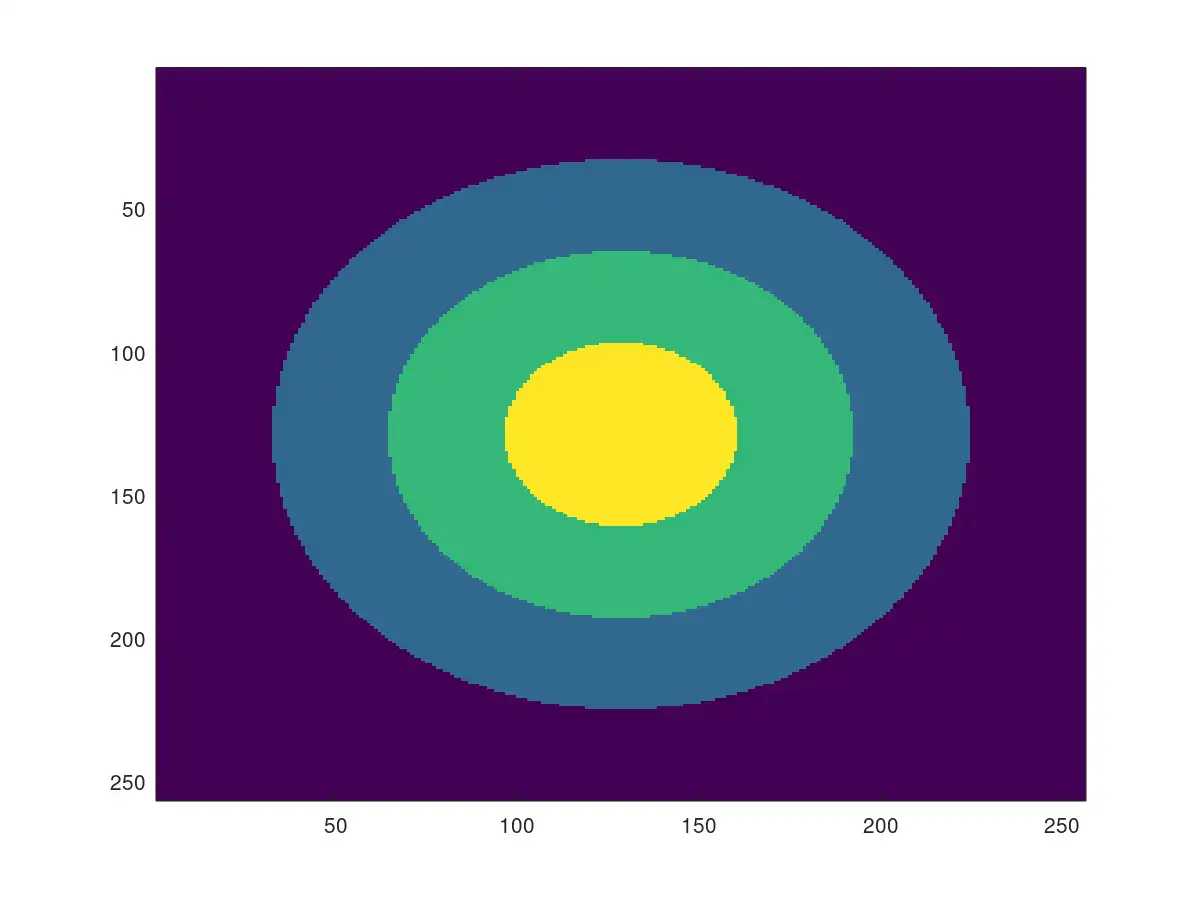
Hi, I need to Create a 256X256 image with 8-bit image intensity values, generate three circles in radii of 96, 64, 32 aligned to the center of the image . Fill intensity value 250 to the inner circle (r<32), intensity value of 200 between the first and second circle (32
Expert Answer

Prashant Kumar
PhD Expert
Answered Sep 29, 2026
m = 256 ;
n = 256 ;
I = 100*ones(m,n) ;
% center of image
[X,Y] = meshgrid(1:n,1:m) ;
C = [mean(1:n) ,mean(1:m)] ;
th = linspace(0,2*pi,m) ;
% First circle
R1 = 32 ;
x1 = C(1)+R1*cos(th) ;
y1 = C(2)+R1*sin(th) ;
idx1 = inpolygon(X,Y,x1,y1) ;
I(idx1) = 250 ;
% SEcond circle
R2 = 64 ;
x2 = C(1)+R2*cos(th) ;
y2 = C(2)+R2*sin(th) ;
idx2 = inpolygon(X,Y,x2,y2) ;
I(logical(idx2-idx1)) = 200 ;
% Third circle
R3 = 96 ;
x2 = C(1)+R3*cos(th) ;
y2 = C(2)+R3*sin(th) ;
idx3 = inpolygon(X,Y,x2,y2) ;
I(logical(idx3-idx2)) = 150 ;
% plot
imagesc(I)
100% Run Guarantee
3-Hour Fast-Track Delivery
Need a Custom Version or Complete Simulation for This Problem?
Our 500+ PhD engineers build, debug, and optimize working MATLAB scripts and Simulink (.slx) models tailored to your exact assignment rubrics with zero plagiarism.
Tested on MATLAB R2024b / R2026a
Turnitin 0% Plagiarism Report
Free 7-Day Revisions Guarantee
Have a different question? Ask here
Related matlab Questions & Solutions
Browse All →
Explore similar technical troubleshooting questions and verified MATLAB solutions:
Ready-to-Run MATLAB & Simulink Projects
Browse All Projects →