Question
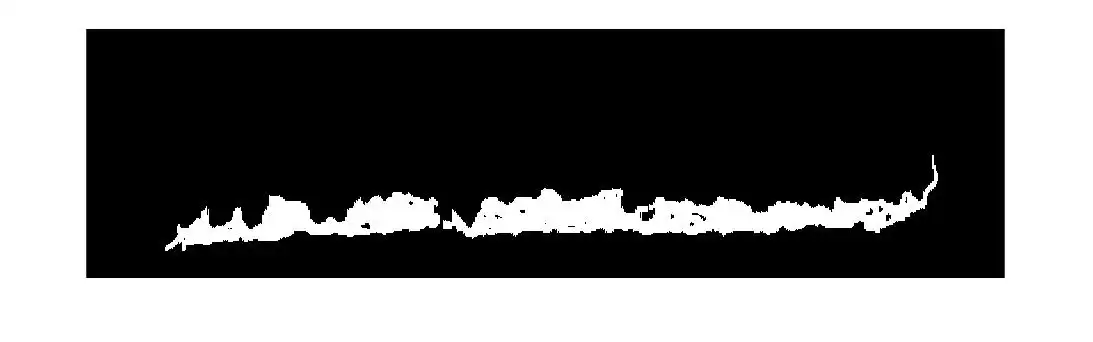
Hello I need to remove the upper border (red highligth) of this binarized image without affecting the bottom section, i haven't been able to figure out exactly which functions of the Image Processing Toolbox could help me.
Expert Answer

Prashant Kumar
PhD Expert
Answered Oct 22, 2026
Using morphological operations and connected components algorithm, the problem can be solved with the minor loss of bottom pixels.For example:
a=imread('imag.jpeg');
figure;imshow(a)
se = strel('line',8,90);
eroded = imerode(a,se);
b=logical(eroded);
st=regionprops('Table',b(:,:,1),'Area');
m=maxk(st.Area,2);
biggest = bwareafilt(b(:,:,1),[m(2) m(1)]);
figure;imshow(biggest)
dil=imdilate(biggest,se);
figure;imshow(dil)
The above code results in the below image. You can try with some other parameters of morphological processing and check if it will be more clear.
100% Run Guarantee
3-Hour Fast-Track Delivery
Need a Custom Version or Complete Simulation for This Problem?
Our 500+ PhD engineers build, debug, and optimize working MATLAB scripts and Simulink (.slx) models tailored to your exact assignment rubrics with zero plagiarism.
Tested on MATLAB R2024b / R2026a
Turnitin 0% Plagiarism Report
Free 7-Day Revisions Guarantee
Have a different question? Ask here
Related morphological tran... Questions & Solutions
Browse All →
Explore similar technical troubleshooting questions and verified MATLAB solutions:
Ready-to-Run MATLAB & Simulink Projects
Browse All Projects →